Putting a SpeedBump in My Browsing
I’ll admit it. I have a problem: Reddit.
Back in the day,
my fingers got programmed to head to Reddit when I needed a little light entertainment.
I liked the communities at /r/Cello and /r/Physics.
I spent time ogling /r/fountainpens.
I enjoyed /r/marijuanaenthusiasts (about trees; not to be confused with /r/trees, which
was for marijuana enthusiasts).
Then the purge happened, I quit my account, and I started seeing the front page.
Total rot.
Unfortunately, my fingers don’t know that, so I get distracted, my mind wanders, and I find myself staring at the same rage-bait amoeba that has engulfed the rest of social media. I don’t need daily proof that Cory Doctorow was right. I just need to stop.
But my fingers compel me.
So Claude and I built a little speed bump I call SpeedBump. It’s a Firefox extension that adds just a touch of friction to the experience. Now when I go to Reddit, I see this:
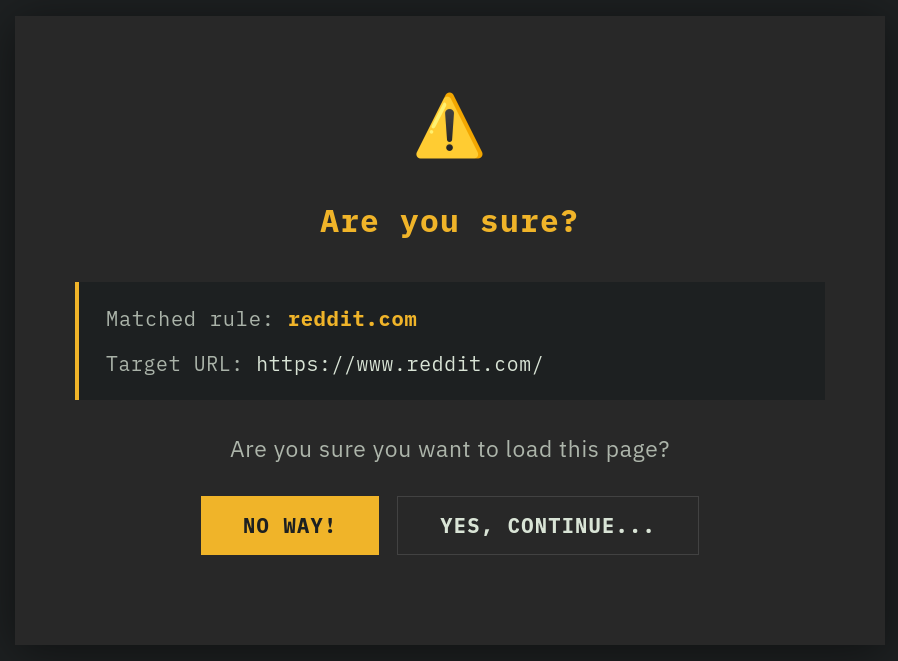
And that’s all I need. I see the dialog, and unless I really need to go on, I stop. The domains are configurable, so it can also help you with your secret shame.
It’s a simple extension: that’s all it does. No ads. No cookies. No data leaves your browser. If it sounds useful, grab it here; you can also snag the source. And if you do find it useful, I’d love to hear from you in the GitHub discussion.